~1 小時 · 全員適用 · Hands-on
← → 或滑動切換
讓每位同事知道:遇到什麼情境、該用哪個 skill,
從今天開始就能幫知識庫變好。
不需要技術背景,會用 Claude Code 就行。
資料來源
pgvector DB
7,800+ chunks · 1536-dim embedding
混合搜尋引擎
使用介面
原始內容
markdown / 論壇帖 / ticket
切成 chunks
整篇太長,AI 吃不下
切成 ~1,500 chars 剛好
產生 embedding
把文字變成 1,536 個數字
語意相近的文字,數字也相近
存入 DB
pgvector 向量資料庫
被搜尋到
BM25 + 向量比對
回答問題
AI 用它來生成答案
知識庫
越轉越好
詳細步驟見 github.com/zeabur/zeabur-rag#skills
Step 1:安裝 plugin
claude plugin marketplace add zeabur/zeabur-rag
claude plugin install zeabur-rag@zeabur-rag
Step 2:設定連線
/zeabur-rag-setup填入以下連線資訊:
| 變數 | 值 |
|---|---|
| URL | https://kb.zeabur.com |
| API Key | rak_e132e5a744f35cc1ab3014c697061baa550705783fcc1a0c3dddc276830d3415 |
驗證:跑 /zeabur-rag-search hello,有回傳結果就代表成功。
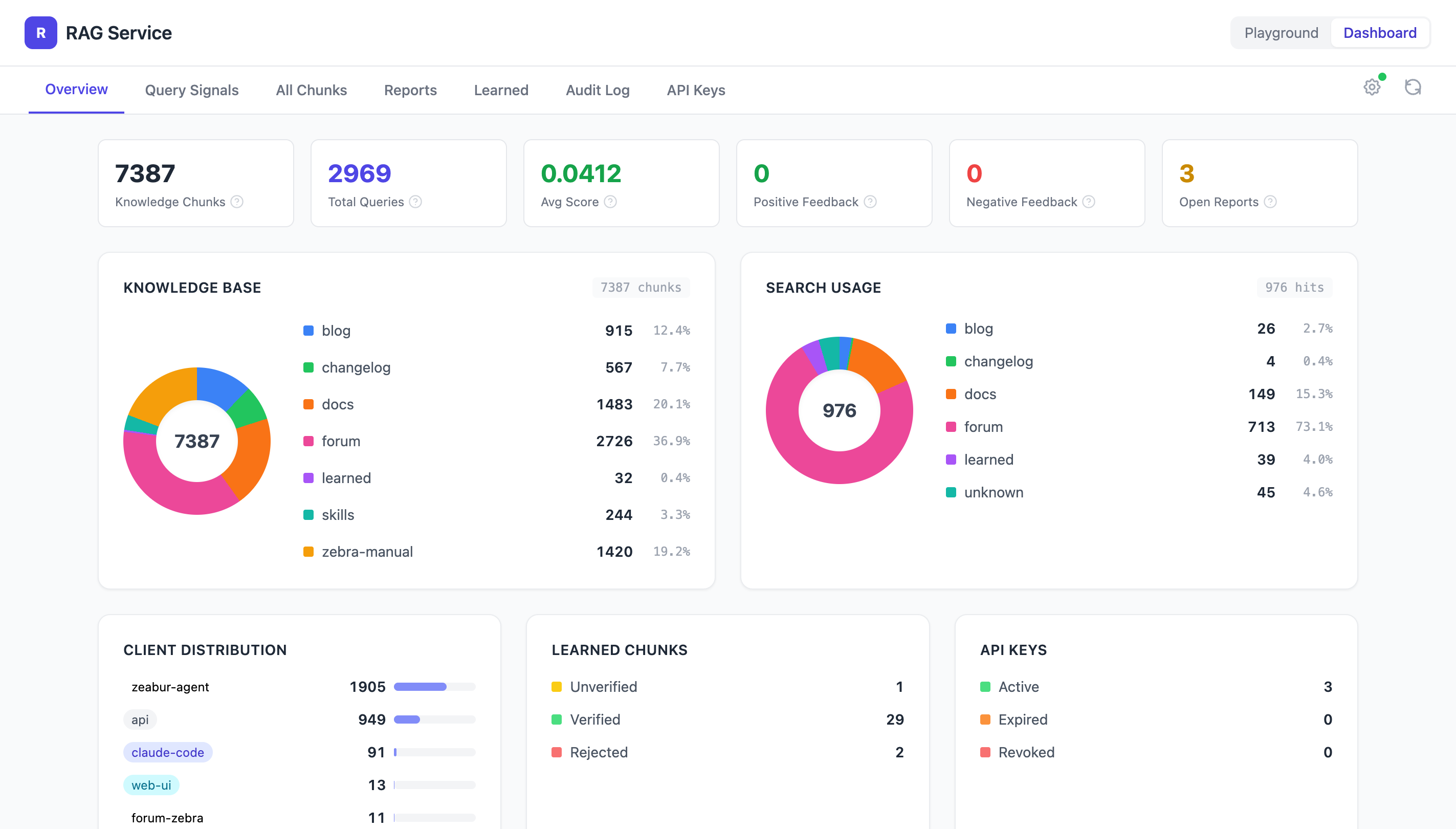
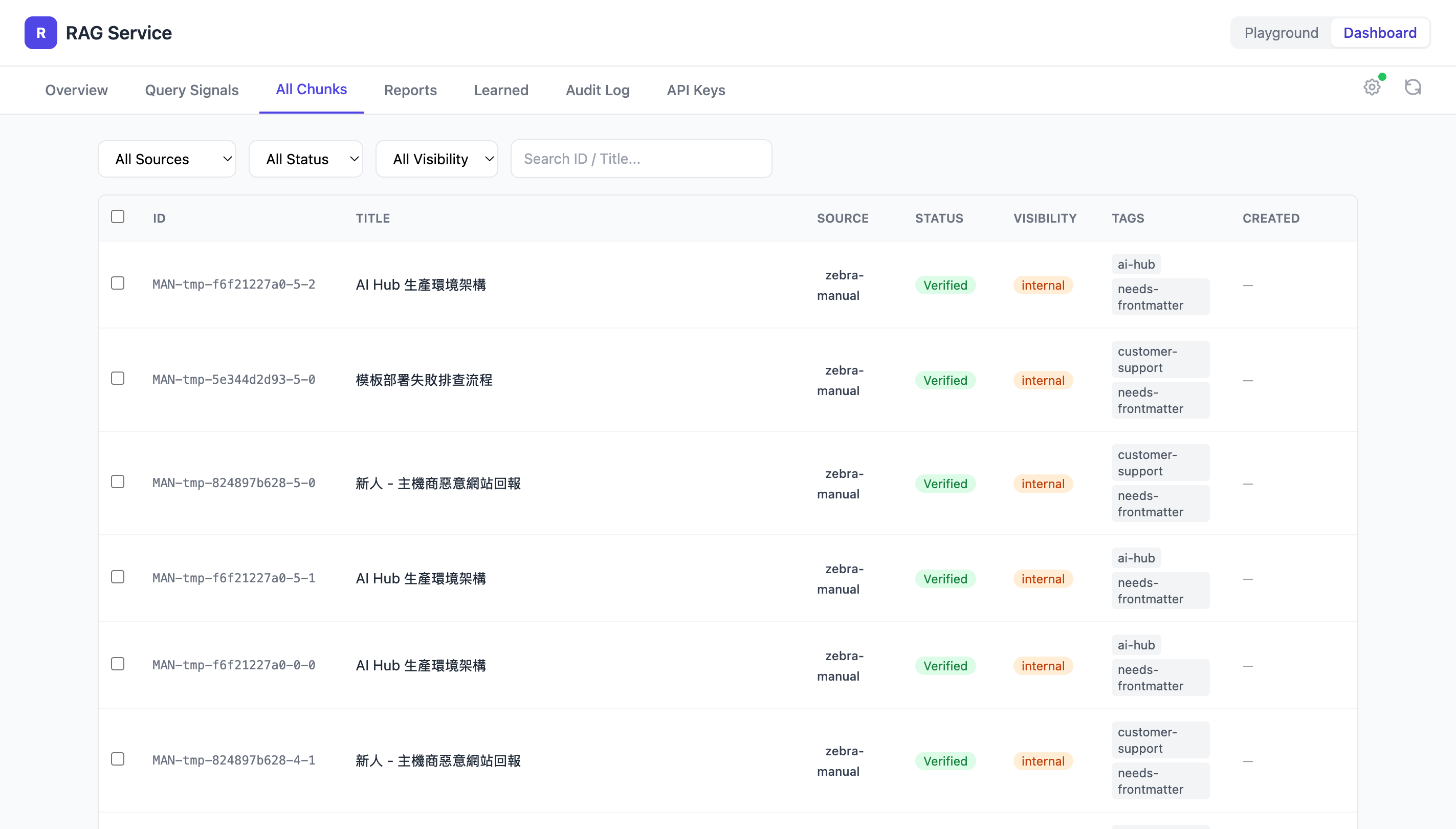
7,841 chunks · 3,023 次搜尋 · 7 個來源
| Source | 說明 | Chunks |
|---|---|---|
| forum | 論壇技術問答 | 2,747 |
| docs | Zeabur 官方文件 | 2,695 |
| blog | 部落格文章 | 942 |
| changelog | 更新日誌 | 605 |
| zebra-manual | 內部維運手冊 | 570 |
| skills | Skill 文件本身 | 249 |
| learned | 使用者貢獻(就是你!) | 33 |
| linear | Linear tickets(尚未啟用) | — |
| ??? | Slack 對話?客戶 onboarding 筆記?內部 wiki? | 🤔 |
知識庫不是靜態的 — 每個人都能讓它變好。想想你手邊還有什麼知識可以加進來?
知識庫的內容分成兩種 visibility,透過 API Key 的 scope 控制存取:
| Visibility | 誰看得到 | 來源 | 內容範例 |
|---|---|---|---|
| public | 所有 API Key | docs、forum、blog、changelog | 「Public Networking — Binding Your Domains」 |
| internal | 有 read:internal scope | zebra-manual、learned | 「新人 - 專用伺服器規格不夠的處理流程參考」 |
對外的 agent(如客服機器人)只看到公開內容;內部同事看到全部,包含維運手冊和 SOP。
除了整個來源的預設值,也可以用 /zeabur-rag-edit 針對單一 chunk 調整 visibility。
/zeabur-rag-search 怎麼設定 custom domain大部分情況直接用自然語言問就好,Claude 會自動搜知識庫。
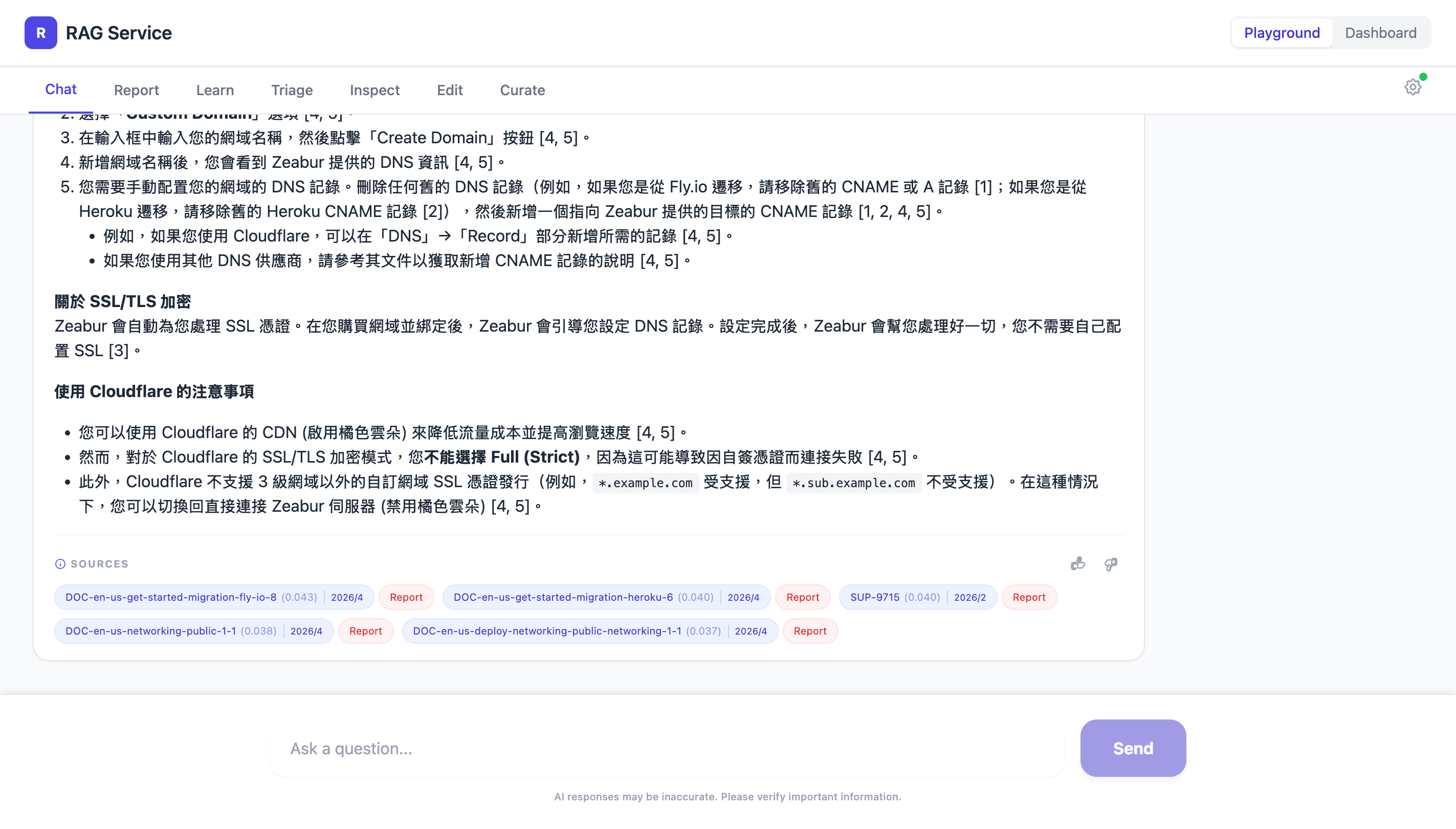
每筆結果旁會顯示 score,數字越高越相關:
| Score | 意思 |
|---|---|
| > 0.035 | 高度相關 — 關鍵字和語意都命中 |
| 0.015–0.035 | 部分相關,需要自己判斷 |
| < 0.015 | 可能沒有相關知識 — 這是一個 gap |
搜完後可以繼續用中文追問,Claude 會保留搜到的內容作為上下文。
結果有用?給個 👍👎 回饋(網頁 UI 或/zeabur-rag-feedback),幫助我們追蹤搜尋品質。
用自己最近遇過的一個真實問題搜看看。
/zeabur-rag-search <你的問題>觀察:
記下你搜到的問題,等等情境 3 會用到。
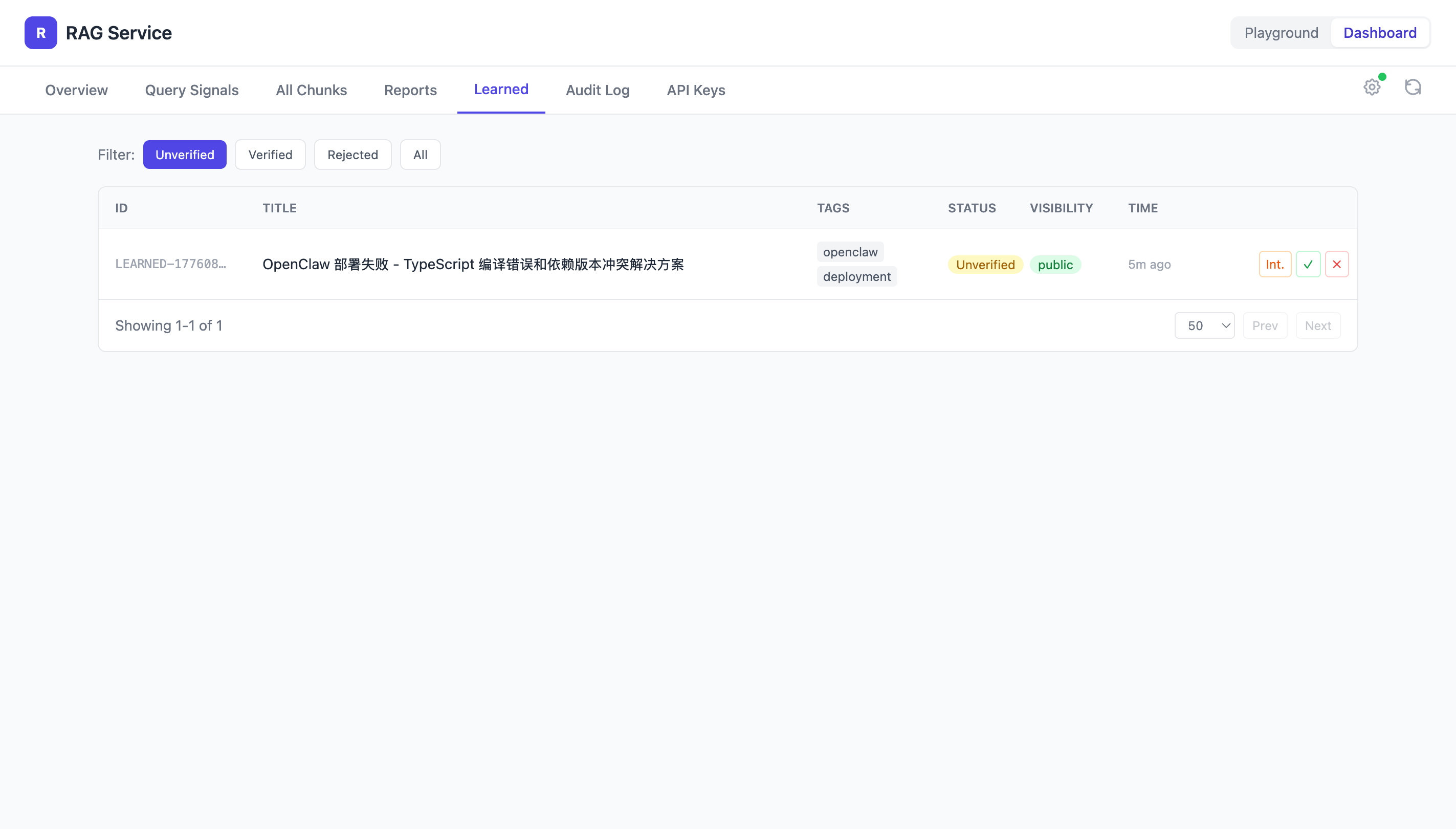
/zeabur-rag-learnSkill 會引導你填寫標題、內容、tags。
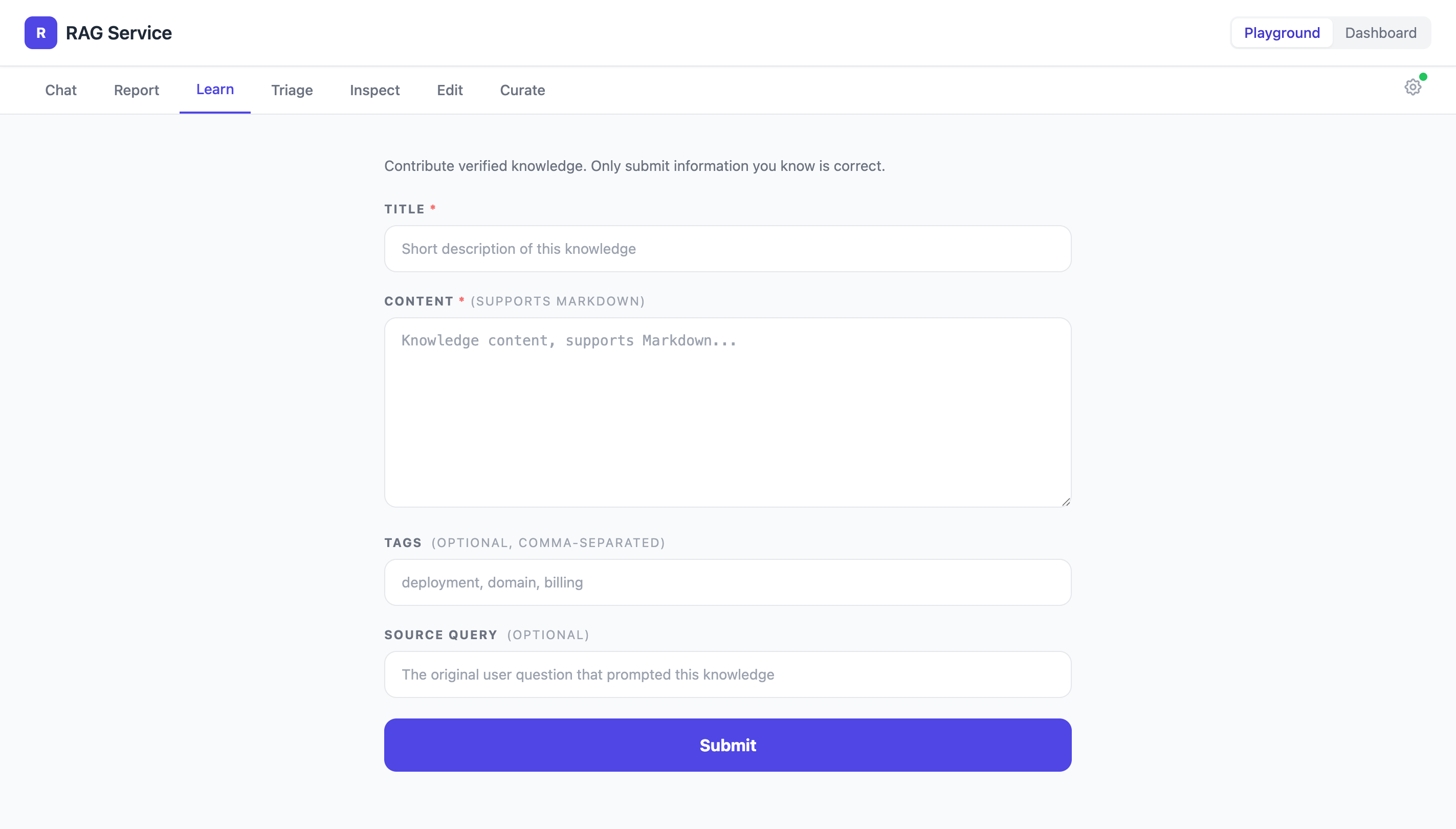
| 太模糊 | 好的 |
|---|---|
| 「可以設定 health check」 | 「Zeabur 預設每 10 秒送 GET /。要改路徑的話,設 ZEABUR_HEALTH_CHECK_PATH=/health。」 |
不用擔心寫錯 — admin 會 review,不對的會被退回。
審核不限網頁,用 skill 也行,但需要 admin 權限。
貢獻一條你知道但知識庫裡沒有的知識。
/zeabur-rag-search <你的主題>/zeabur-rag-learn每人至少貢獻 1 條。
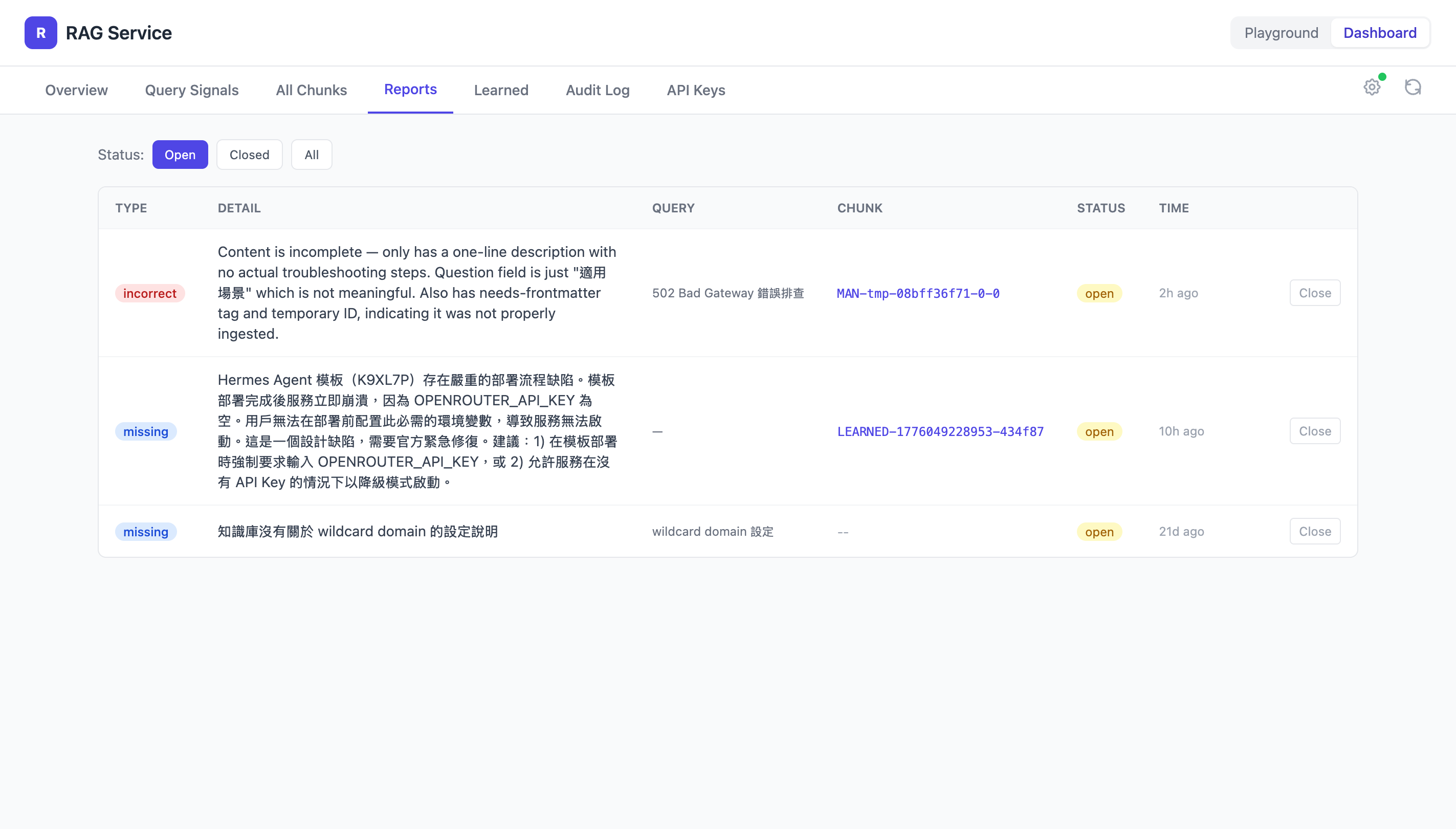
/zeabur-rag-report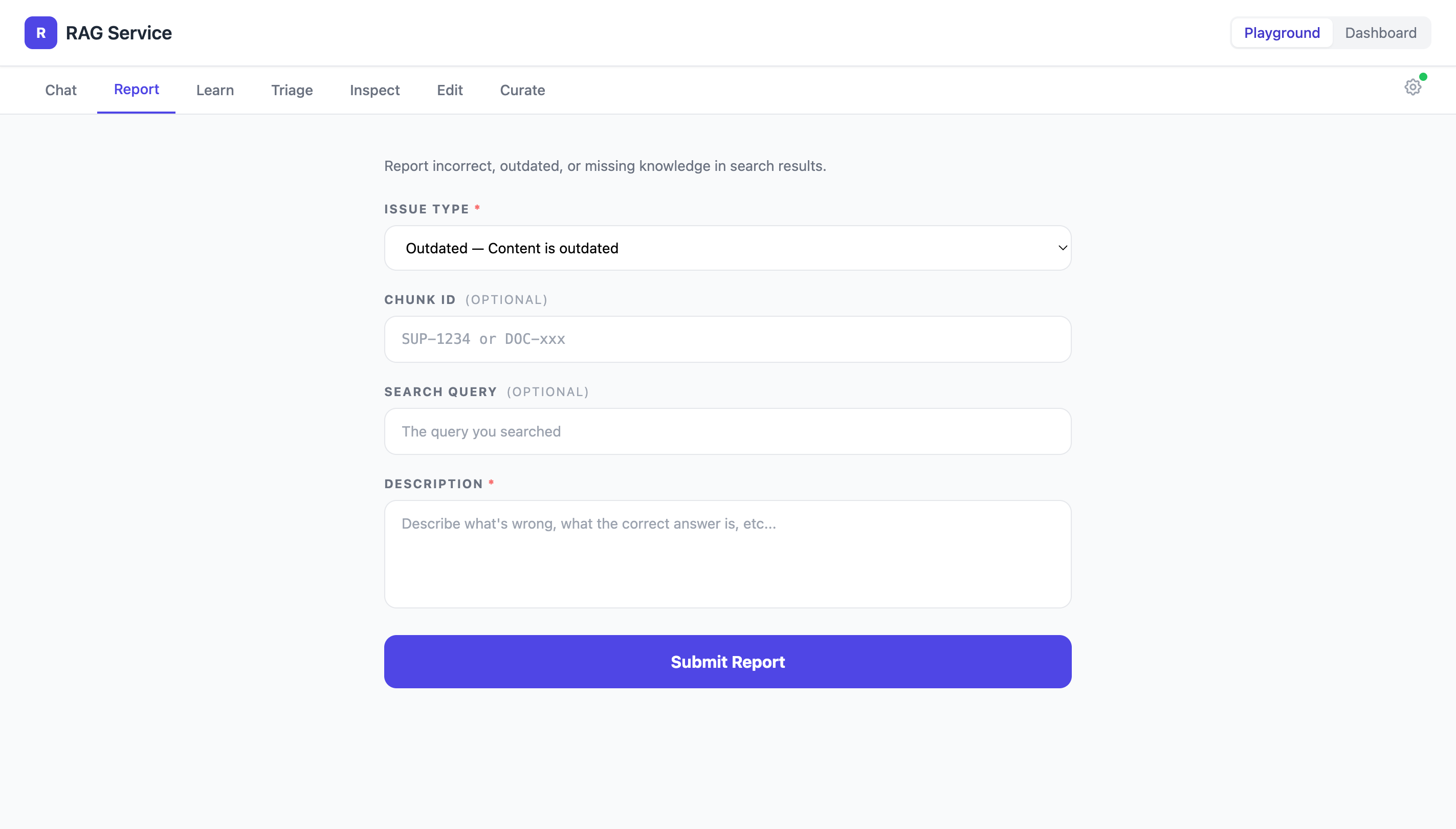
| Type | 什麼時候用 |
|---|---|
outdated | 以前是對的,但平台已經改了 |
incorrect | 現在就是錯的 |
missing | 這個主題完全沒有被收錄 |
你不需要知道正確答案也能 report。
「這個 UI 按鈕已經不存在了」就是有用的回報。
回頭看情境 1 的搜尋結果,找一個值得回報的問題。
/zeabur-rag-report每人至少回報 1 個。
/zeabur-rag-triage看有多少待處理項目:
| 類別 | 說明 |
|---|---|
| Open Reports | 使用者回報的問題 |
| Unverified Learned | 貢獻的知識還沒驗證 |
| Low Similarity Signals | 搜不到好結果的 query |
| Negative Feedback | 使用者給了負評的搜尋 |
需要 admin scope
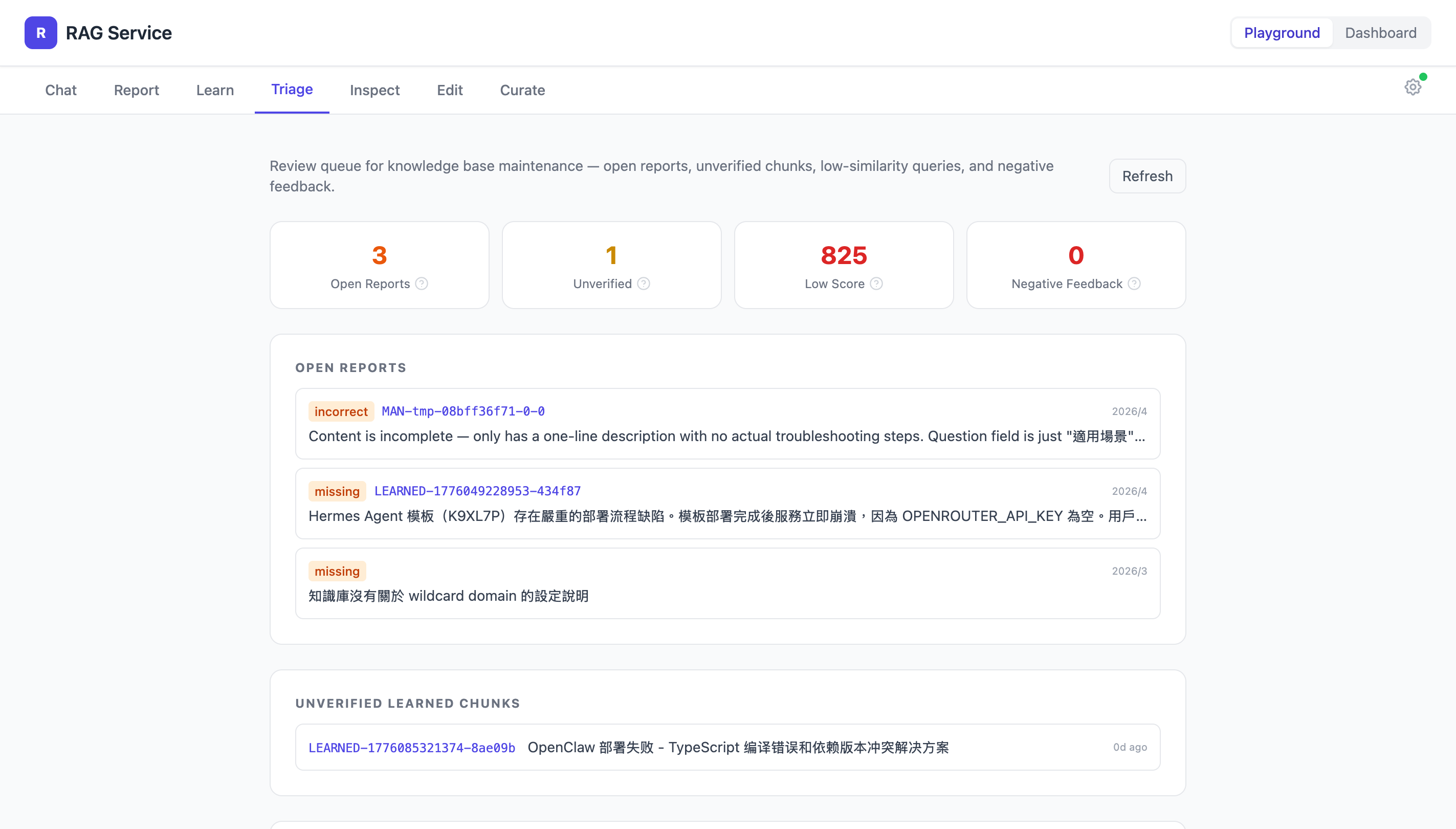
/zeabur-rag-curate進入互動式維護流程,一個一個 review:
/zeabur-rag-learn 補上處理過程中可能會用到:
| Skill | 用途 |
|---|---|
| /zeabur-rag-inspect | 看某個 chunk 的完整內容、report 記錄、編輯歷史 |
| /zeabur-rag-edit | 直接修改 chunk 的標題、內容、tags、visibility |
需要 admin scope
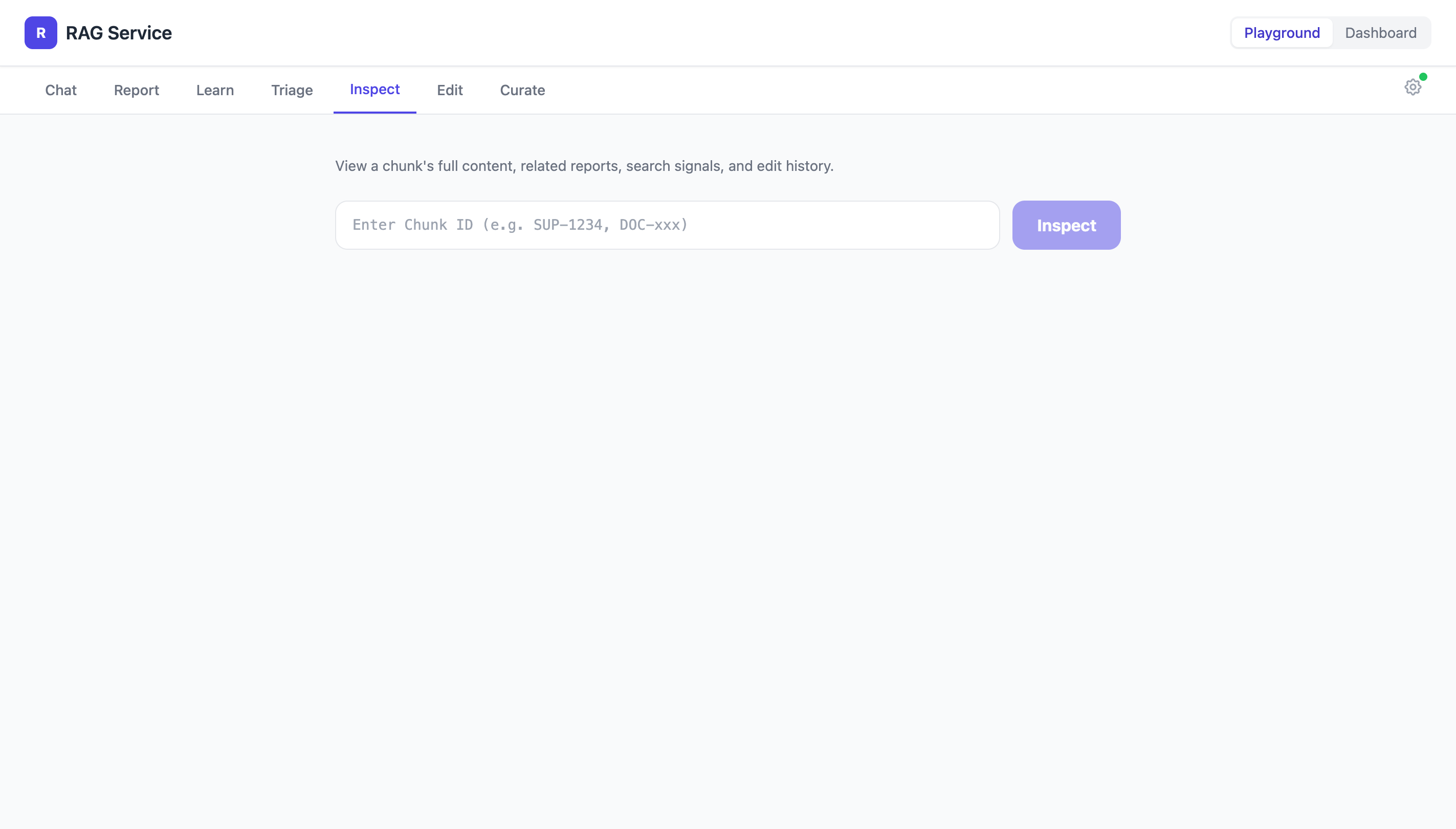
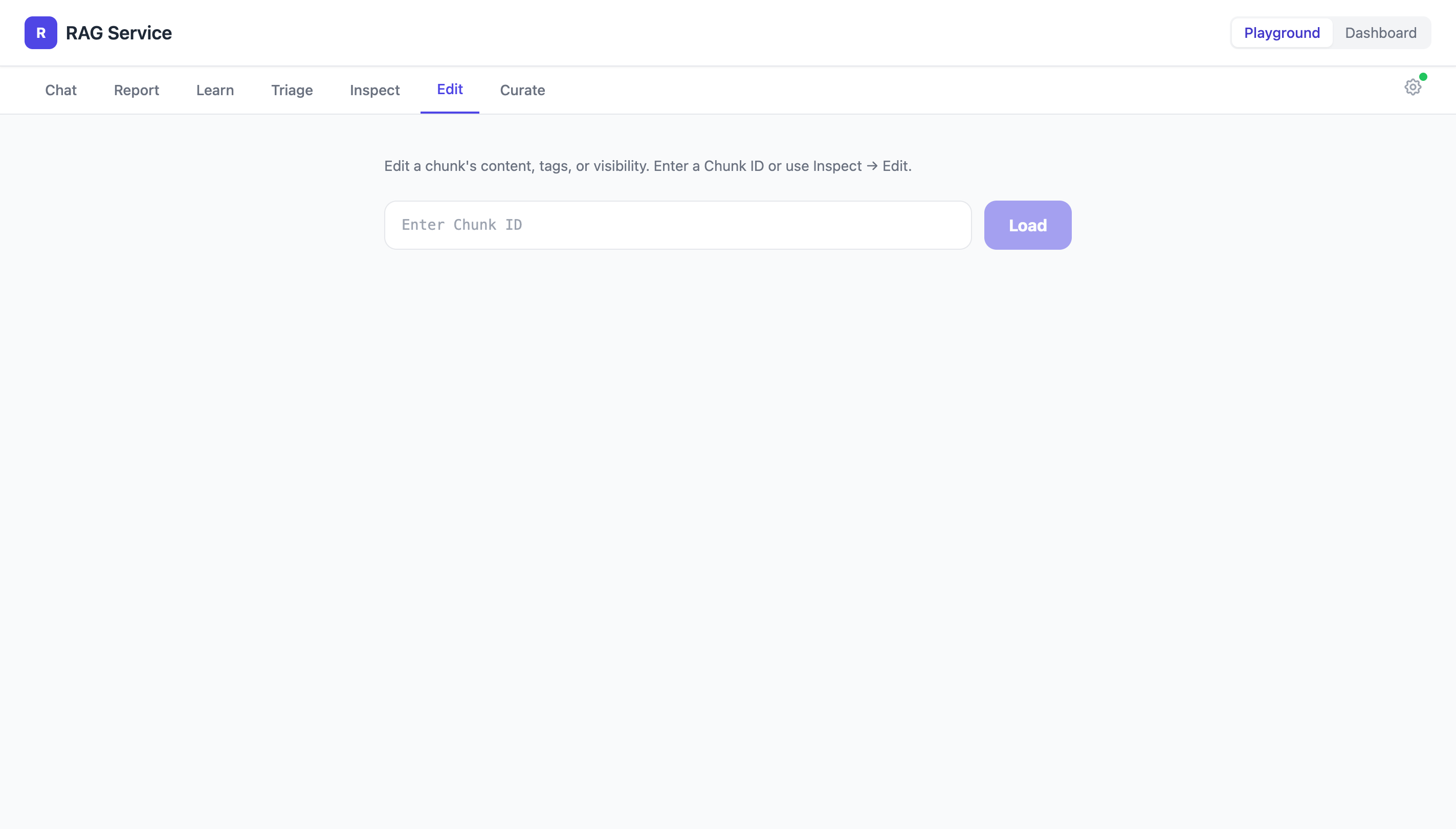
講師示範處理剛才練習中產生的 report 和 learned chunk。
/zeabur-rag-triage — 看待處理清單/zeabur-rag-curate — 逐一 review/zeabur-rag-inspect — 檢查 chunk 細節/zeabur-rag-edit — 修正內容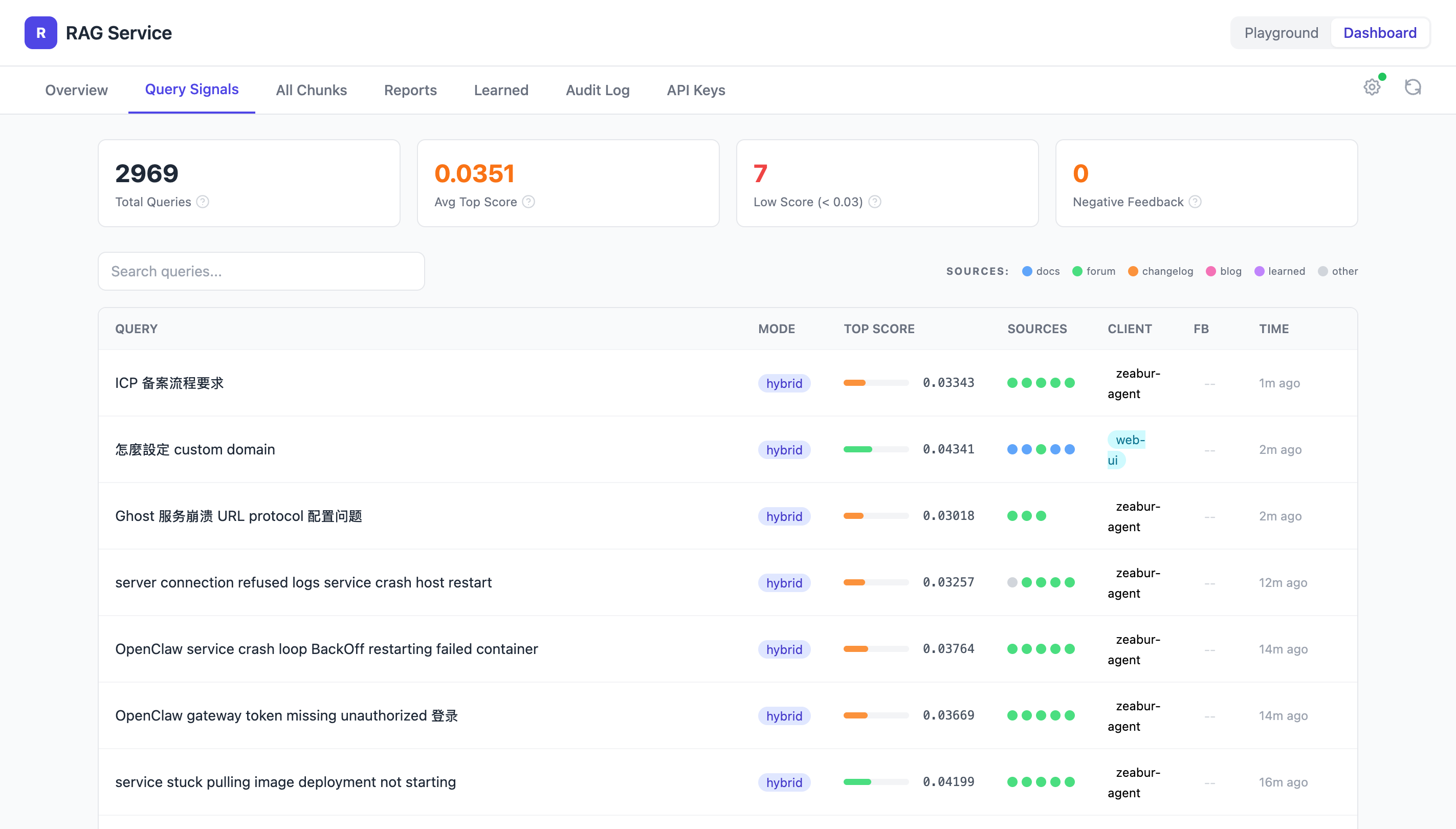
| 情境 | Skill | 權限 |
|---|---|---|
| 遇到問題,先搜 | /zeabur-rag-search | 所有人 |
| 解決後寫回知識 | /zeabur-rag-learn | 所有人 |
| 搜到錯的或缺的 | /zeabur-rag-report | 所有人 |
| 搜尋結果有用/沒用 | /zeabur-rag-feedback | 所有人 |
| 看 chunk 詳情 | /zeabur-rag-inspect | Admin |
| 直接改 chunk | /zeabur-rag-edit | Admin |
| 看待處理清單 | /zeabur-rag-triage | Admin |
| 批次維護 | /zeabur-rag-curate | Admin |
1. 處理 ticket 前 → /zeabur-rag-search
2. 處理 ticket 後 → /zeabur-rag-learn(如果發現新知識)
3. 搜到怪結果 → /zeabur-rag-report
4. 每週 → /zeabur-rag-triage + /zeabur-rag-curate(admin)
| Adapter | 來源 | 觸發方式 |
|---|---|---|
docs | zeabur/zeabur 官方文件(en-US) | git clone → markdown 解析 |
forum | 論壇 MongoDB | 直接讀 DB,只取已解決的帖子 |
zebra-manual | zebra-manual git repo | git clone → markdown + frontmatter |
blogs | zeabur.com/blog | git clone zeabur-com repo |
changelogs | zeabur.com/changelog | git clone zeabur-com repo |
skills | Claude Code skill 文件 | git clone → SKILL.md 解析 |
learned | 使用者透過 /learn 貢獻 | 即時寫入,不需 pipeline |
Pipeline 可以隨時重跑更新,新的來源也可以持續加入。
所有 adapter 共用同一個 chunker(src/pipeline/chunker.ts):
| 步驟 | 說明 |
|---|---|
| 1. 段落分割 | 按 \n\n 切成段落 |
| 2. 合併過小段落 | 小於 200 chars 的段落向下合併 |
| 3. 累積到目標大小 | 段落累積到 ~1,500 chars 為一個 chunk |
| 4. 切過大 chunk | 超過 2,250 chars 的按句子邊界再切 |
| 5. 重疊 | 相鄰 chunk 重疊 ~150 chars,避免切斷上下文 |
| 6. 麵包屑 | markdown heading 加在 chunk 前面作為上下文 |
每個 chunk 產生一個 1536 維的 embedding(text-embedding-3-small)存入 pgvector。
# 更新單一來源
bun run scripts/cli.ts ingest --adapter docs

# 預覽不寫入
bun run scripts/cli.ts ingest --adapter docs --dry-run

# 全量替換(零停機)
bun run scripts/cli.ts ingest --adapter docs --replace

# 所有來源一次更新
bun run scripts/cli.ts ingest --all
每個 adapter 自動處理:取得原始內容 → 切 chunk → 產生 embedding → 上傳到 DB
| BM25(關鍵字) | Semantic(向量) | |
|---|---|---|
| 原理 | tf-idf 詞頻統計 | embedding cosine similarity |
| 擅長 | 精確關鍵字、錯誤訊息、ID | 語意相似、換句話說、跨語言 |
| 弱點 | 同義詞搜不到 | 精確字串可能漏掉 |
| 分詞 | 中文 Intl.Segmenter、英文 Porter stemmer | 模型內建 tokenizer |
兩路互補 — 關鍵字抓精確匹配,向量抓語意相關。
score = keyword_weight / (K + keyword_rank)
      + semantic_weight / (K + semantic_rank)

預設權重:keyword 0.25, semantic 0.75, K = 20不直接比分數,而是比排名 — 兩路都排前面的 chunk 分數最高。
| 參數 | 預設 | 說明 |
|---|---|---|
keyword_weight | 0.25 | BM25 的權重 |
semantic_weight | 0.75 | 語意搜尋的權重 |
decay | 180 天 | 時間衰減半衰期,越新的文件排越前 |
# 跑 eval
bun run scripts/eval.ts --mode hybrid --run-name <name>

# 比較兩次結果
bun run scripts/eval.ts --mode hybrid --run-name <name> \
--compare data/eval-runs/<baseline>.json| 指標 | 說明 |
|---|---|
| Hit@5 | 前 5 筆有沒有命中正確答案 |
| MRR | 正確答案排第幾名(越前面越好) |
| nDCG@5 | 排序品質的綜合指標 |
| 策略 | 狀態 | 說明 |
|---|---|---|
| BM25 + Semantic | ✓ 上線中 | 關鍵字 + 向量混合搜尋,RRF 合併 |
| Temporal Decay | ✓ 上線中 | 越新的內容排越前面(半衰期 180 天) |
| Graph Search | 已建好待調校 | 7,500+ 實體,透過概念之間的關聯找到更多相關內容 |
| Query Rewrite | ✓ 已在 Zeabur Agent 實作 | LLM 改寫查詢,提升召回率 |
| Re-ranking | 規劃中 | 用 LLM 對 top-K 結果重新排序 |
| Eval 題組擴充 | 持續進行 | 更多真實問題 + 標註,追蹤搜尋品質趨勢 |
每一項改動都需要跑 eval 驗證,確保搜尋品質只進不退。
| 項目 | 連結 |
|---|---|
| 內部專案 | github.com/zeabur/zeabur-rag |
| 公開專案 | github.com/zeabur/rag-service |
| 一鍵部署模板 | zeabur.com/templates/H126IM |
| 知識庫 Web UI | kb.zeabur.com |
| Skill 安裝說明 | github.com/zeabur/zeabur-rag#skills |
search learn report feedback triage curate